Welcome to Dealwize. This guide will walk you through setting up your workspace, connecting your first deal, and letting your AI Sales Agent automatically extract MEDDPICC signals, calculate Deal Health, and build a customer-ready Mutual Action Plan.
Step 1: Forward Your First Call or Email Thread#
You don’t need to spend 45 minutes configuring custom fields. The fastest way to test Dealwize is to forward an existing customer conversation:
- Open your meeting recorder (Gong, Chorus, Fathom, Zoom, or Google Meet).
- Export or copy the meeting transcript, summary, or email thread with your prospect.
- Forward it to your dedicated agent address:
agent@dealwize.co.
To: agent@dealwize.co
Subject: Acme Corp - Technical Evaluation Sync

[Paste transcript or meeting notes here]
Within 30 seconds, your AI Sales Agent parses the entire conversation, matches it to your company workspace, and generates an objective Deal Health Report.
[!TIP]
Prefer pasting in your browser? You can also paste raw transcripts or call notes directly into the web analyzer at app.dealwize.co/analyze for instant scoring without sending an email.
Step 2: Review Your Deal Health Score#
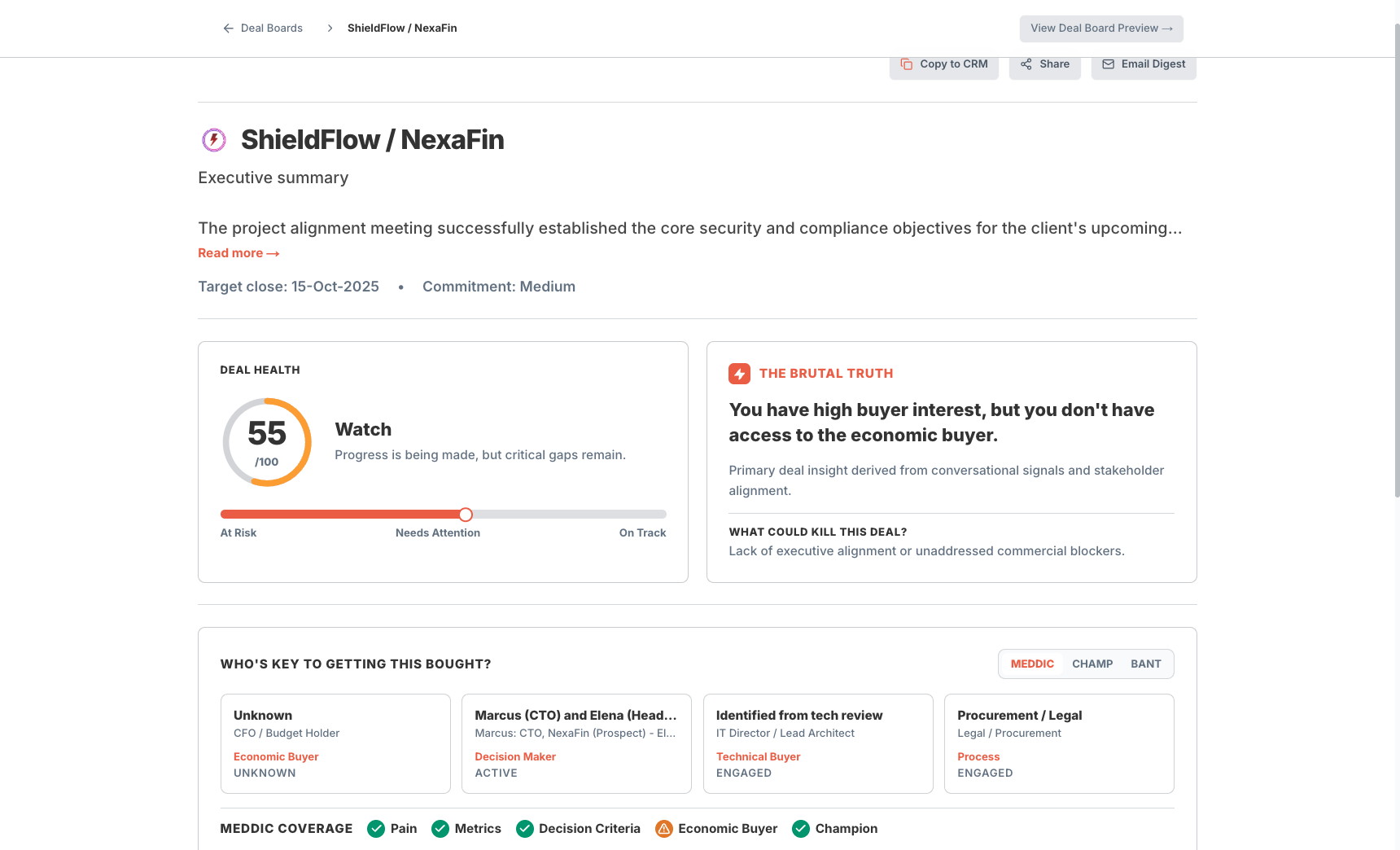
Head to your Deal Health report in your workspace at app.dealwize.co/deal-health/<org-slug>/<dealboard-slug> (for example, https://app.dealwize.co/deal-health/abc-corp/shieldflow-nexafin-20260904142324) to review the extracted insights:
- The Health Gauge (0–100): A multi-signal score measuring buyer responsiveness, stakeholder depth, and timeline risk.
- Brutal Truth Diagnostics: Objective risk flags (e.g., "No Economic Buyer identified", "Stage dwell time exceeds 21 days").
- Automated MEDDPICC: Extracted Metrics, Economic Buyer, Decision Criteria, and Identified Pain points cited directly from transcript timestamps.
Step 3: Publish Your Mutual Action Plan on the Deal Board#
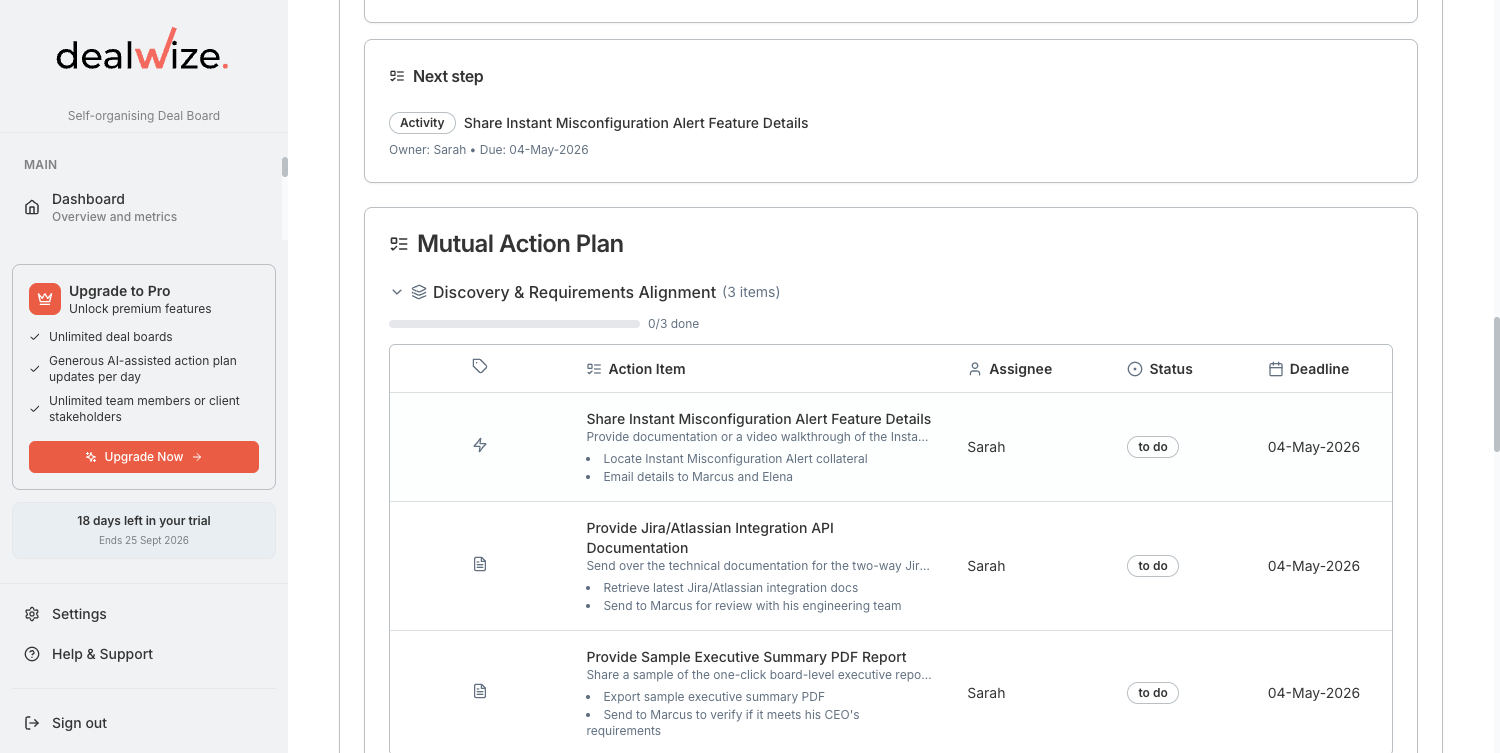
Dealwize automatically organizes next steps into a collaborative roadmap on your buyer-facing Deal Board:
- Open your deal's shared Deal Board:
https://app.dealwize.co/deal-boards/<dealboard-id>(for example,https://app.dealwize.co/deal-boards/2f2b96ab-950a-4df7-9bf8-01883048ebdb). - Review the auto-generated milestones (Security Review, Legal Redlines, Executive Sign-off) and assigned owners.
- Share the Deal Board link directly with your champion to keep both teams aligned.
[!TIP]
When your buyer clicks the shared Deal Board link, downloads a security document, or marks a task complete, Dealwize feeds that activity directly into your Deal Health Score, confirming genuine deal velocity.